

Should Apple's New HomeView Replace the Screen on Your Wall?
 Moaath Al-Bukaai19 Oct 2026 · 7 min read
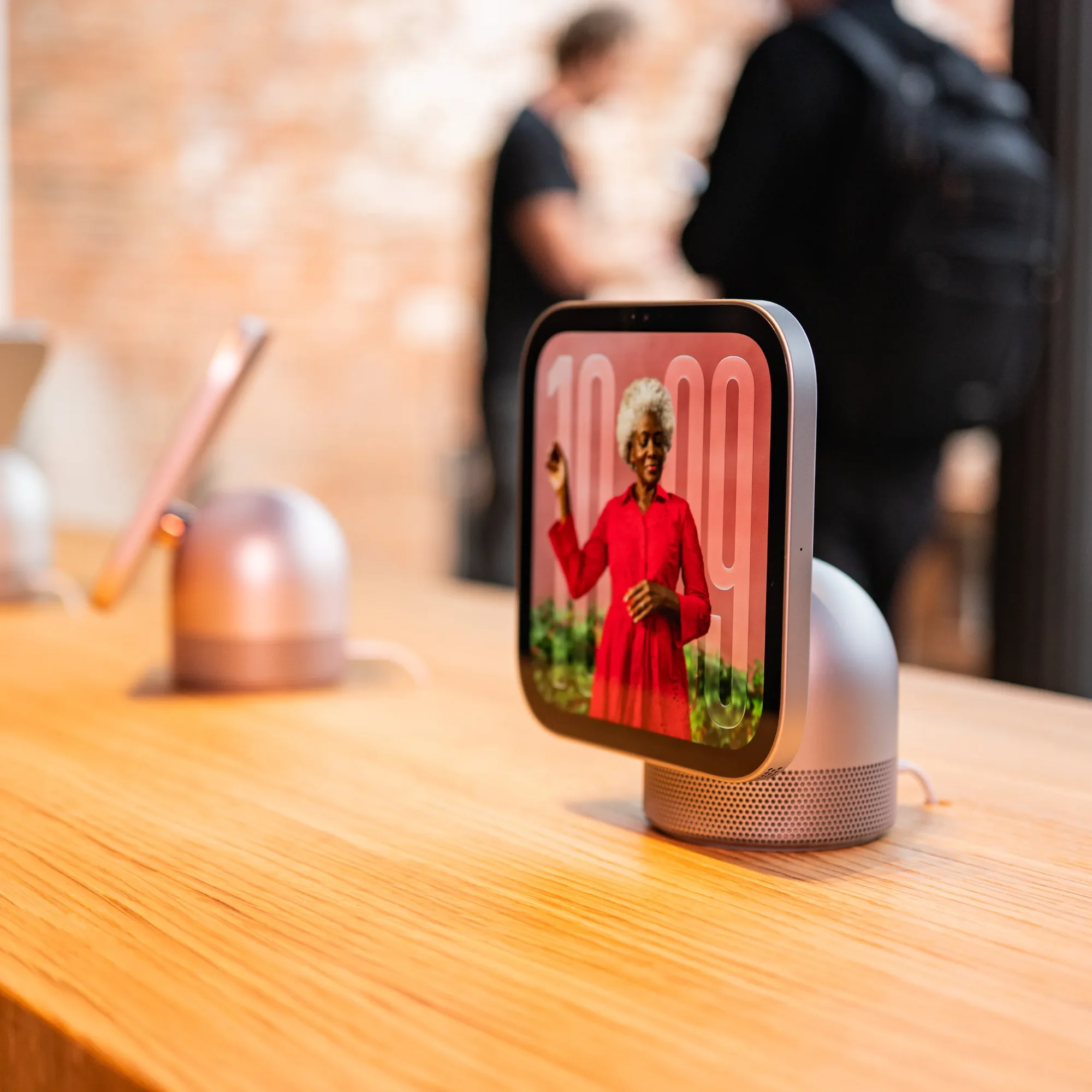
My honest take on HomeView, a Jung KNX panel and a Vimar PoE screen, from someone who installs these systems for a living.
Let me tell you what I would say if you asked me over coffee.
Apple has just announced HomeView. It is a 7-inch screen that can hang on your wall. It costs $299. It looks like something Apple designed, because it is. And right away, the question in my world is: do we still need a proper home automation screen on the wall, or can this replace it?
I have been thinking about this all week. Here is where I landed. It is a long read, so I will give you my answer early: HomeView is a great option for people who live in the Apple ecosystem, once it is available here. For everyone else, the KNX screen is still the safer choice. Now let me show you why.
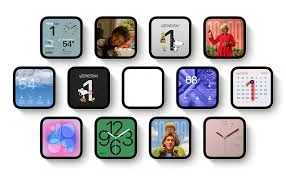
First, what Apple actually announced
Apple introduced HomeView on 13 October 2026. These facts come from Apple's newsroom:
Price: $299 for the countertop model and the wall-mounted model.
Wall mounts are extra and made by Schneider: USB-C $59.95, AC wired $79.95, and a PoE version at $129.95 that arrives in early 2027.
Hardware: 7-inch display, A18 chip, 12MP camera, speakers, and an intercom to other HomeViews, HomePods and iPhones.
Works with Apple Home and Matter accessories. It needs wired power and has no battery.
Ships 13 November to the US, UK, Canada, Australia, India, New Zealand, Singapore and South Africa.
Not available in Bahrain or the GCC. Apple's announcement does not mention the Gulf, and it is not sold in the EU. So today HomeView is a conversation about the future. And I should be honest: I have not used one yet.
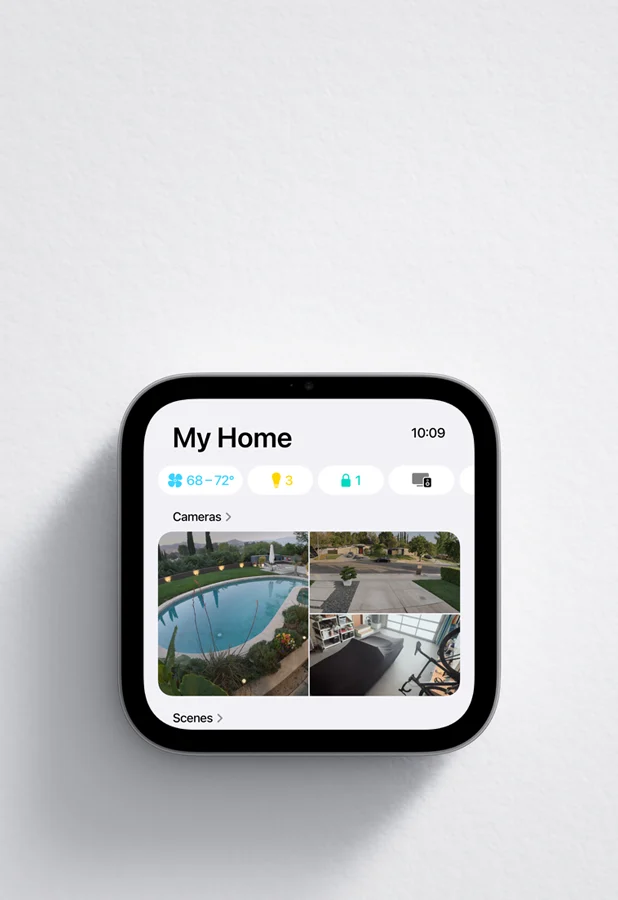
Why this is a big deal
For years, the screen on the wall of a smart villa has been a compromise. The ones built for serious systems do their job well, but nobody would call them beautiful. Then Apple shows up with a wall display that is cheaper than most of them and far better looking.
I get it. If I were you, I would be tempted too.
But the catch is not about looks
Think about what you want from a screen that lives on your wall. You do not want to update it. You do not want to reset it. You do not want to wonder why it lost Wi-Fi on a Friday night when guests are over. You want it to just work, for years, and then more years.
This is where HomeView and a KNX screen are two different animals.
HomeView is a consumer product. It runs on Wi-Fi and on Apple's software. Apple does not state how long it will keep updating it, and Siri AI is still marked beta. To control a KNX house from it, you also need a bridge in the middle, because Apple only talks about Apple Home and Matter. That bridge is one more box that has to keep working.
A KNX screen is built for one thing: to stay on that wall for decades. It does not ask for updates and it does not need maintenance. It connects straight to the KNX bus, with no Wi-Fi in the middle, so there is less that can go wrong. The price you pay is looks. It is functional, not fashionable.
Meet the three screens
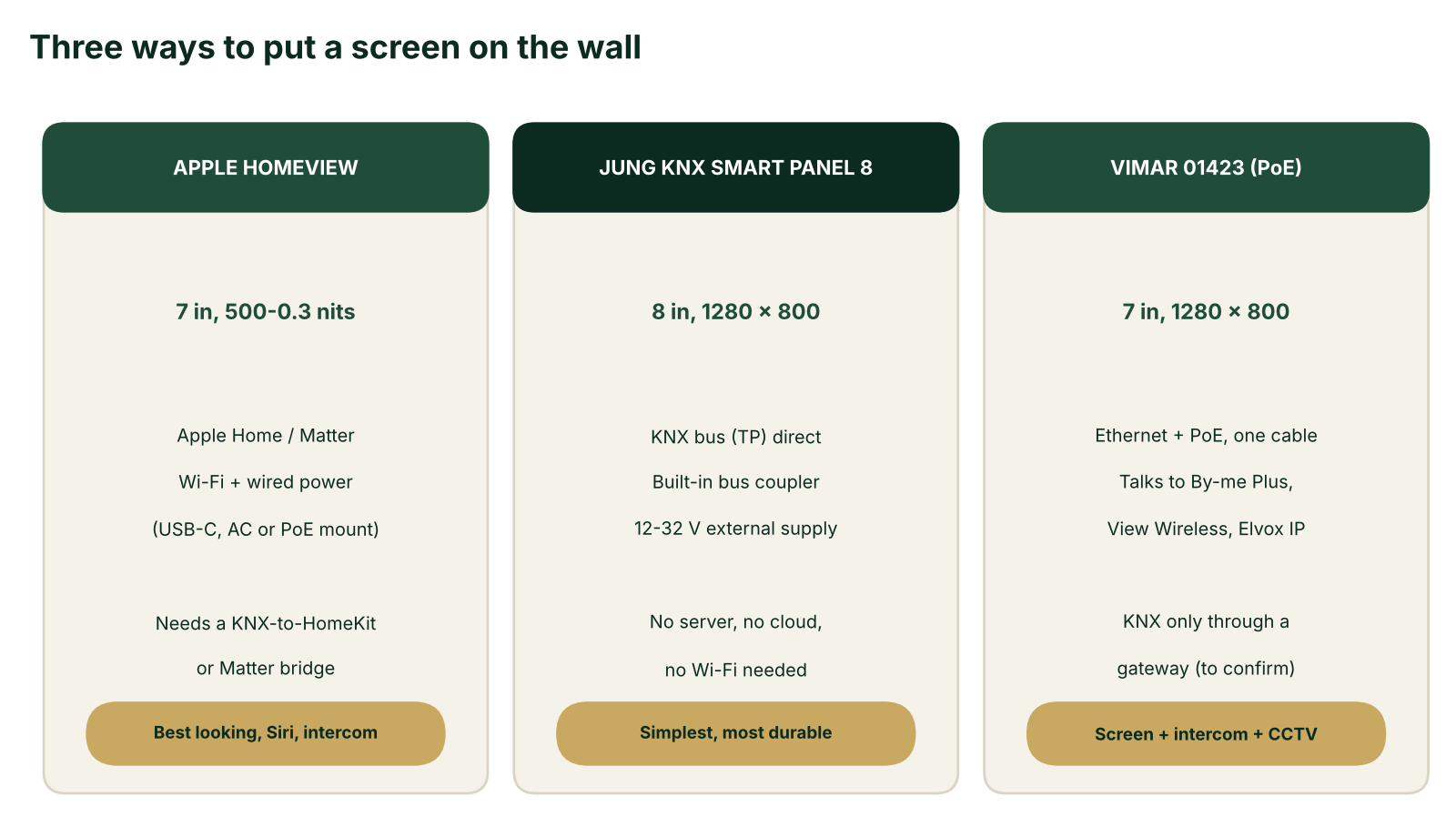
1. Apple HomeView: the polished one
It looks like a product, not like a control panel. Apple promises Siri and an intercom to other rooms and phones. If the family already lives in Apple Home, this feels natural.
What to think about: the bridge to KNX, the dependence on Wi-Fi and Apple's updates, and a mount that costs extra. The PoE mount, which would give you one cable for power and network, is not out until 2027.
2. Jung KNX Smart Panel 8: the one that stays
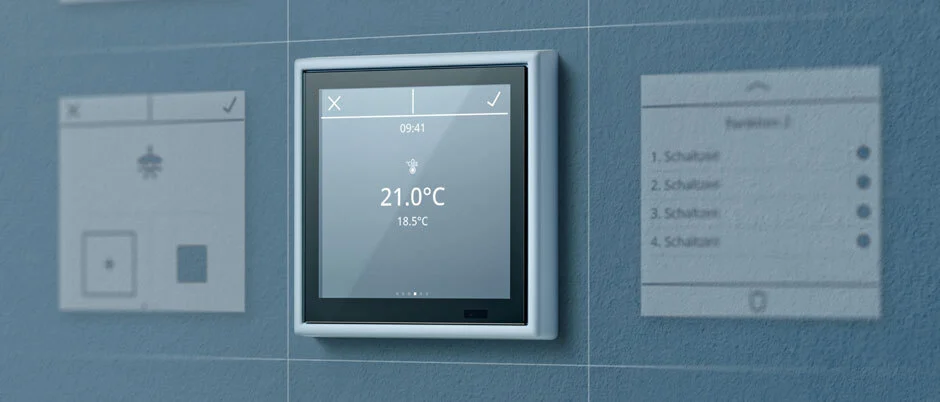
The Jung Smart Panel 8 is an 8-inch touch screen (1280 x 800) that connects directly to the KNX bus through a built-in coupler. No server needed. It runs on a separate 12 to 32 V supply, it is not PoE, and it is commissioned in ETS. Page data shows about 990 EUR.
It handles scenes, schedules and presence simulation. The door intercom needs a Siedle gateway. Jung also makes the Smart Control 5, which can run on PoE, but that one is not a KNX bus device and needs a Jung server behind it.
3. Vimar 01423: the middle road
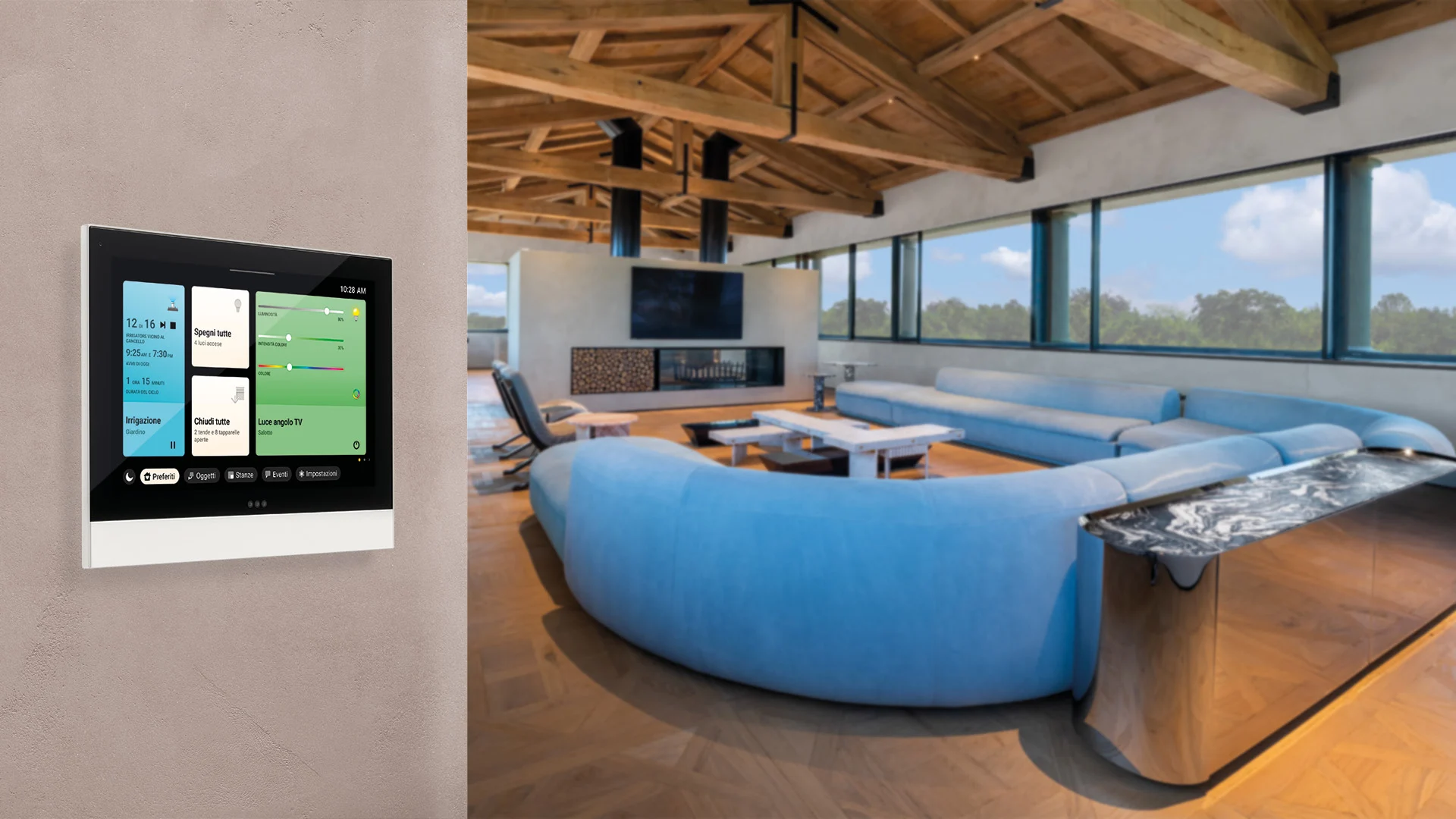
This is the one I think gets less attention than it deserves. Vimar's 01423 is a 7-inch screen (1280 x 800) that runs on PoE or 24 to 30 V DC. One network cable carries power and data. It was designed to stay on the wall, like a KNX screen.
It is an IP supervisor for By-me Plus, View Wireless, By-alarm Plus, Elvox IP video door entry and Due Fili Plus. It also shows live CCTV from Elvox IP and Wi-Fi cameras over RTSP. Think about how a family really uses a wall screen: someone rings the bell, you want to see who it is, and you want to talk. A screen that handles lights, intercom and cameras in one place, and was built to stay put, gives you a lot of the stability of the KNX world with much of the convenience.
By-me connects to KNX through an IP gateway, so this screen can sit in a KNX project. I would confirm the exact setup with Vimar for your project before promising anything.
Side by side
Apple HomeView | Jung KNX Smart Panel 8 | Vimar 01423 PoE screen | |
|---|---|---|---|
Screen | 7 in | 8 in, 1280 x 800 | 7 in, 1280 x 800 |
Power | Wired: USB-C, AC or PoE mount | 12 to 32 V supply, external | PoE or 24 to 30 V DC |
Link to the system | Apple Home and Matter | KNX bus direct, built-in coupler | By-me Plus, View Wireless, Elvox IP, by gateway |
Needs Wi-Fi | Yes | No | No (Ethernet) |
Intercom | Between Apple devices | Only through a Siedle gateway | Elvox IP video door entry |
CCTV | Camera feeds through Apple Home | Not stated | Elvox IP and Wi-Fi cameras by RTSP |
Price shown | $299 plus mount | About 990 EUR | Not shown |
The price of HomeView is not the whole price. Add the mount, the bridge, the installation and the wall work, and the "cheap" screen starts to look like a normal project.
What keeps each screen alive
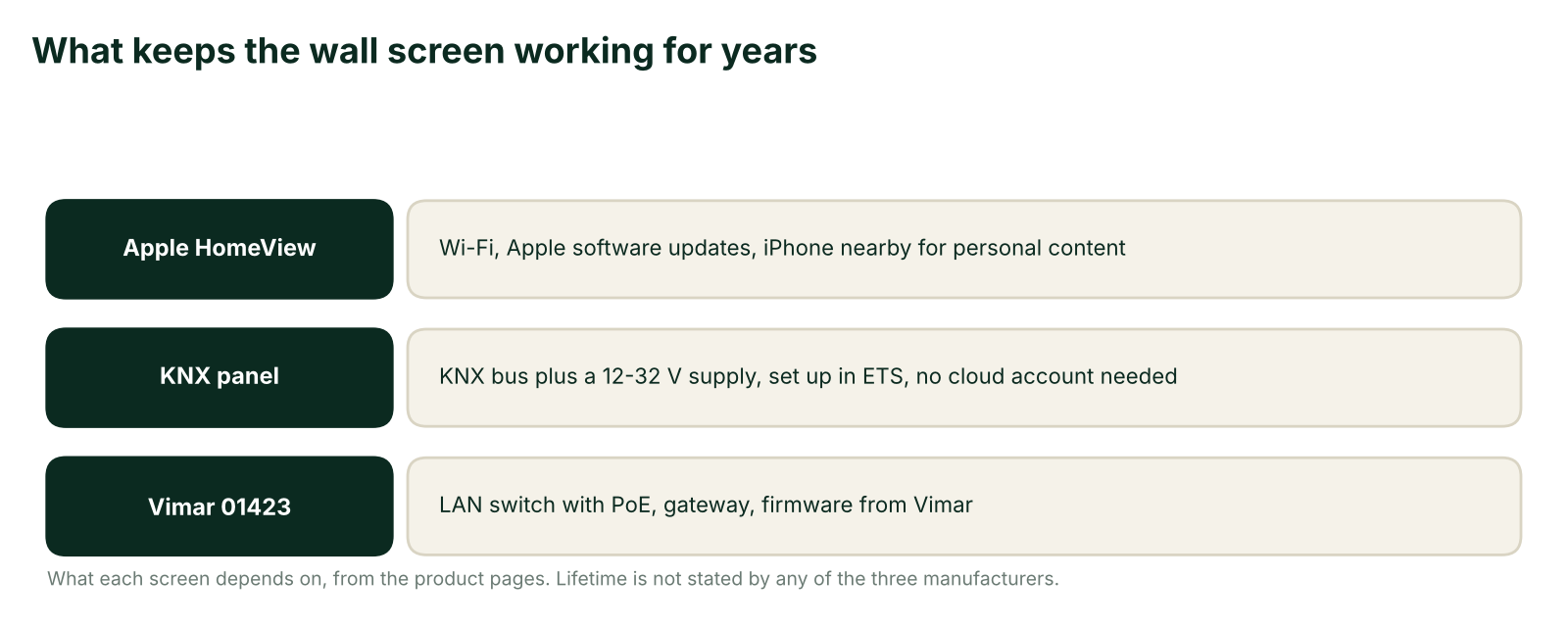
None of the three manufacturers states a lifetime. So when I say a KNX screen lasts decades, that comes from my own experience with these panels, not from a datasheet.
My recommendation
This is the part I want you to remember.
If you are an Apple person. You use Siri, you love voice commands, and your family lives in HomeKit. Then HomeView is a good option for you when it becomes available in Bahrain. And you would not lose anything important: you still keep your keypads and the mobile app from the system manufacturer.
If you do not care about the Apple ecosystem. Then go with the KNX screen. You get stability and a long life, and it will outlive trends.
If the door and the cameras matter. Look hard at the Vimar PoE screen.
Because HomeView is not available here yet and I have not used it, I cannot give you a firm verdict on it today. That is the honest answer.
One last thought
I think the real question is not "which screen is better". It is: do you want a beautiful screen that follows technology, or a reliable screen that ignores it? Both answers are fine. Just choose on purpose.
What I could not confirm
HomeView and KNX. Apple says it works with Apple Home and Matter and says nothing about KNX. The bridge is supplied by KNX manufacturer
Support period. Apple, Jung and Vimar do not state a lifetime or an update period but it just how each one is manufactured and what market they are targeting
Vimar and KNX. The Vimar page lists "KNX bus: No" for this screen, so the KNX connection goes through the By-me gateway.
Thread border router and exact dimensions come only from secondary sources, not from Apple.
Sources
Comments 3
- E
Eminbe
well the big knx companies will always be slow getting the new stuff and no body can compeat on apple hardware and the KNX gateway come with the system any way so the real cost only the apple screen, and even if you add the POE wall holder still is better prices than normal KNX screen
- D
Deema
comparing Apples IoT to KNX ! that's really unfair to KNX as its a hundred years reliable system compared to pay by subscription. Apple would never be able to live to that, and in 5 years the items wouldn't be supported anymore for updates or maintenance.
- E
eminbe
i agree but you cant compare the apple design to someone else
Questions about this article
What is Apple HomeView and how much does it cost?
It is a 7-inch screen for the wall or countertop, announced on 13 October 2026 at $299. Wall mounts cost extra: USB-C $59.95, AC wired $79.95, and PoE $129.95 arriving in early 2027.
Is HomeView available in Bahrain?
No. It is not available in Bahrain or the GCC, and Apple's announcement does not mention the Gulf. It ships on 13 November to the US, UK, Canada, Australia, India, New Zealand, Singapore and South Africa.
Can HomeView control a KNX smart home directly?
Apple says it works with Apple Home and Matter and says nothing about KNX. You would need a bridge in the middle, which is one more box that has to keep working.
Why is a KNX screen considered more reliable than HomeView?
It connects straight to the KNX bus with no Wi-Fi in the middle, and it does not ask for updates or maintenance. The author's view that it lasts decades comes from experience, not from a datasheet.
What is the Jung KNX Smart Panel 8?
It is an 8-inch touch screen (1280 x 800) that connects to the KNX bus through a built-in coupler, with no server needed. It runs on a separate 12 to 32 V supply, is not PoE, and is commissioned in ETS.
What makes the Vimar 01423 a middle option?
It is a 7-inch screen that runs on PoE or 24 to 30 V DC, so one network cable carries power and data. It was designed to stay on the wall and shows live CCTV from Elvox IP and Wi-Fi cameras over RTSP.
Does the Vimar 01423 connect to KNX?
The Vimar page lists "KNX bus: No", so the KNX link goes through the By-me IP gateway. The author advises confirming the exact setup with Vimar for your project first.
Which wall screen should I choose?
If you live in the Apple ecosystem, HomeView is a good option once it reaches Bahrain. If not, choose the KNX screen, and if the door and cameras matter, look hard at the Vimar PoE screen.
Planning a project?
Talk to our engineers about lighting, control and automation for your space.